

Trusted By 1,000+ Businesses













From Logs to Answers
How CybaOps SIEM Turns Logsinto Answers
Bring your security data together, connect related activity and understand what needs attention, with our UK SOC investigating around the clock.
01 Log Sources

From Raw Logs to Investigated Incidents
02 The Log Path
- Role-based access
- Hosted in AWS UK and EU regions (London and Ireland)
- ISO 27001 certified
- Certified under the NCSC Cyber Incident Response (CIR) scheme at Standard Level
03 Outcomes
Hover or tap any part of the diagram to see what it does.
- SIEM in
- CybaOne

Bring Security Data Together
Pull events from across your environment into CybaOps, so everything you need for an investigation is in one place.

Search and Investigate
Search the underlying events directly to see what happened, when, and which users and devices were involved.

Connect Related Activity
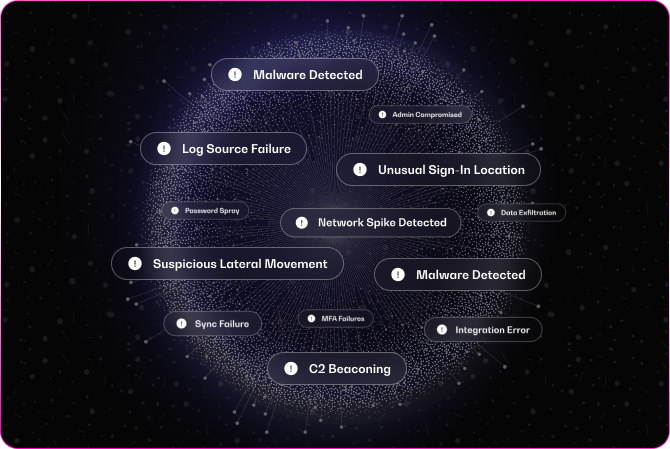
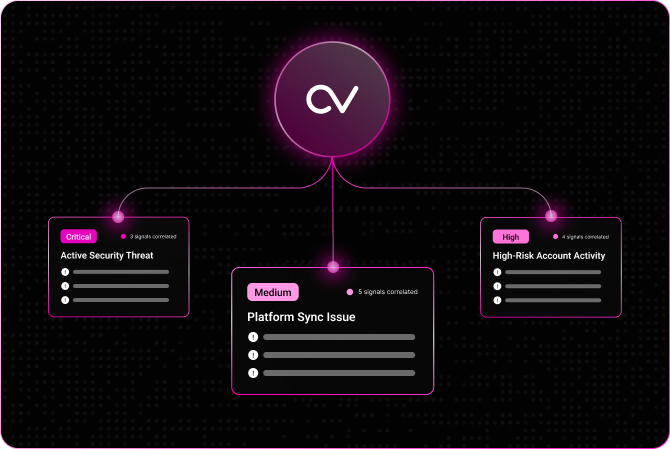
Correlation links related detections, such as a sign-in, an endpoint detection and network activity, into one incident, so you work the attack instead of dozens of separate alerts.

Prioritise with Context
Use asset and identity context to see what's affected and decide what needs attention first.

Add Threat Intelligence
Check indicators against threat intelligence to understand what you're dealing with and how seriously to treat it.
One Case Record
Every incident is worked as a case, so every alert, action, decision and comment stays on the case timeline, ready for auditors and insurers.
Put SOAR to Work
From Alert to Action,with an Operator in Control
CybaOps playbooks coordinate indicator checks, device information gathering, ticket creation and approval requests. Workflows can branch on evidence, call other systems or pause for a human decision.
01 Trigger
Playbooks that pause for a human decision
02 The playbook
-
No threat: close with evidence Threat confirmed: escalate
- Pre-approved or approved at the time
- Every step on the case
03 Outcomes
Hover or tap any step of the playbook to see what it does.
- Part of
- CybaOps
1
What Is the Difference Between SIEM and SOAR?
SIEM (security information and event management) collects and analyses security data from across your environment, giving your team one place to search events and see how separate signals connect. SOAR (security orchestration, automation and response) coordinates the workflows and actions that follow. In CybaOps, SIEM is delivered through Investigate, and SOAR playbooks can check indicators, gather device information, create tickets and request approvals.
2
How Is CybaOps Different from a Traditional SIEM?
CybaOps combines SIEM, SOAR and case management in one platform, connected to remediation. Instead of moving between separate tools, your team can investigate, respond and track the underlying issue through to completion in one place. Evidence, decisions and action results all stay on the case.
3
What Data Sources Can Investigate Connect To?
Investigate brings in security data such as identity, endpoint, network and cloud activity, including Microsoft Defender, Microsoft 365 and Entra ID logs. Sources connect through the CybaOps agent, syslog (TCP/UDP), CEF, HTTPS webhooks and vendor APIs, and data is normalised to OCSF so different sources can be analysed together.
4
How Long Is Log Data Kept?
Retention is configurable and set per customer, so you can keep the logs you need for investigations and compliance. That matters because attacks are often spotted some time after they start, and an investigation needs the earlier activity to show how an attacker got in and what they touched. Auditors, regulators and insurers may also ask for evidence of past activity. Data can be reported on and exported from CybaOps.
5
Can a Playbook Take Action Without Approval?
Playbooks gather context and branch on the evidence on their own. Response actions only start once an incident has been raised, and only run if you've agreed them in advance as pre-approved actions or approve them at the time. Every step is recorded on the case.
6
Can MSPs Use It Across Multiple Customers?
Yes. MSPs can work across customers using tenant-specific access, branding and reporting. Resellers and distributors can also offer SIEM and SOAR within the wider CybaOps platform, backed by CybaVerse's security expertise.
7
Do I Need My Own Security Team to Use It?
Not necessarily. Investigate works for in-house security teams, and our UK-based security operations centre monitors customer environments 24 hours a day, 7 days a week. Talk to a Cyber Operator about the right setup for your organisation.